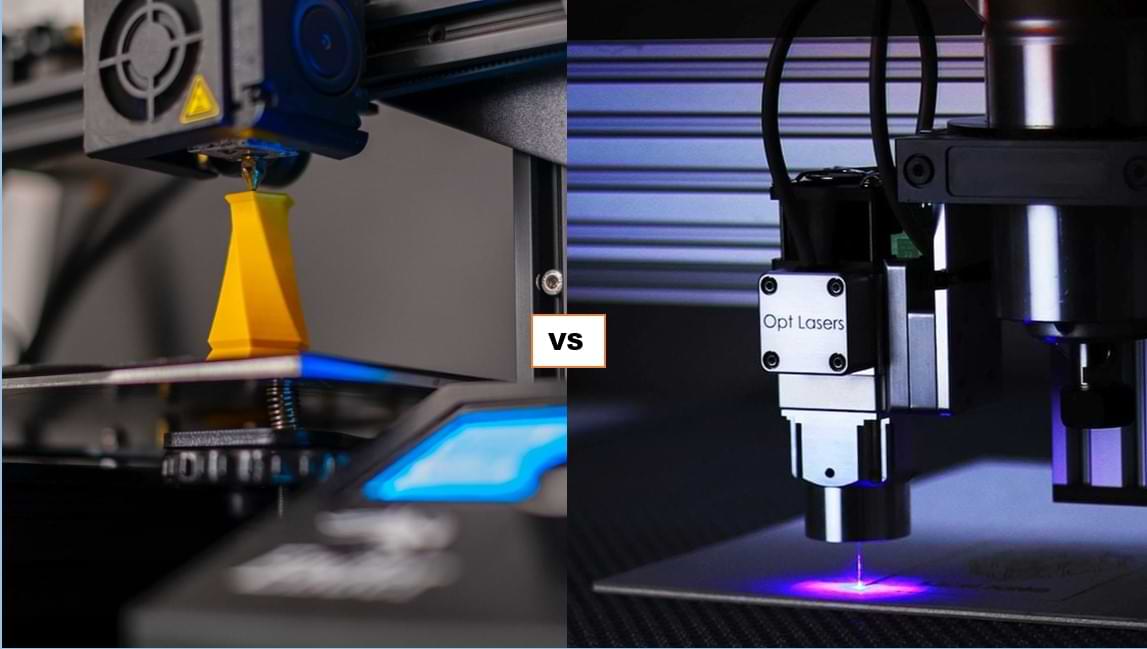
If you’re in the business of making things, you may find yourself wondering if a 3D printer or metal laser cutter would be a better investment. Truth be told, both options have their pros and cons, and your choice should ultimately depend on the project you’re working on, as well as the materials you’re working with. In this blog post, we’ll discuss the advantages and the shortcomings of each option. Then, we’ll give our two cents regarding which option we think is better.
What Is 3D Printing?
3D printing, also known as additive manufacturing, is an innovative manufacturing process that creates three-dimensional objects by adding material layer by layer based on a digital design. Unlike traditional subtractive manufacturing methods, which involve cutting or drilling away material from a solid block, 3D printing builds up the object from the ground up, one layer at a time.
The 3D printing process typically involves the following steps:
Design:
The first step is to create a digital 3D model of the object using computer-aided design (CAD) software. This design serves as a blueprint for the 3D printer to follow during the printing process.
Slicing:
The 3D model is sliced into thin horizontal layers by slicing software. This step converts the 3D model into a series of 2D cross-sectional layers that the 3D printer can understand.
Printing:
The 3D printer reads the sliced data and starts to build the object layer by layer. The printer deposits the chosen material, such as plastic, metal, resin, or even food ingredients, precisely following the design’s specifications for each layer.
Layer-by-layer building:
The material solidifies or fuses together after each layer is deposited. The printer’s print head or nozzle moves along the X, Y and Z axes, meticulously creating the desired shape.
Completion:
Once all layers are printed and the object is fully formed, it is removed from the 3D printer, and any support structures that were used during printing are removed if necessary.
What Is Laser Cutting?
Laser cutting is a precise and versatile manufacturing process that uses a focused laser beam to cut through or engrave various materials. The laser beam melts, burns or vaporises the material with which it’s working, leaving clean and accurate cuts. Laser cutting is commonly used in industries such as metal fabrication, automotive, aerospace, electronics and crafts.
The laser cutting process involves the following steps:
Design:
The person using the laser cutter creates a digital design using computer-aided design (CAD) software, specifying the desired shapes and cuts.
Material selection:
The person using the laser cutter choses the material appropriate to the project at hand. Laser cutting can work with a wide range of materials, including metals (such as aluminium), plastics, wood, glass, leather and more.
Focusing the laser:
The laser beam is focused through a lens to create a highly concentrated and intense energy point.
Cutting or engraving:
The focused laser beam is directed at the material, and the high energy causes the material to melt, vaporise or burn away along the predetermined paths defined in the digital design.
Precision and accuracy:
The computer-controlled laser cutting machine follows the design’s instructions with high precision and accuracy, resulting in intricate and detailed cuts or engravings.
Cooling with assist gas:
During the cutting process, the material is often cooled with a jet of assist gas, such as nitrogen or oxygen, to enhance the cutting efficiency and keep the work area clean.
What Is Better for Making Crafts: 3D Printers or Laser Cutters?
The choice between 3D printers and laser cutters for making crafts depends on the specific requirements of your project and the materials you plan to work with. Both technologies offer unique capabilities.
Advantages of 3D Printers When Making Crafts
1. Versatility in design:
3D printers excel in creating complex and intricate 3D objects with customised designs. They can produce unique shapes and textures, allowing for artistic and creative freedom.
2. Layered construction:
3D printing builds objects layer by layer, which presents the opportunity to create hollow or partially hollow structures that can reduce material usage and weight.
3. Customisation:
With 3D printers, you can easily modify designs and produce personalised crafts, which makes them ideal for customised items, prototypes and one-of-a-kind creations.
4. Material variety:
3D printers work with a wide range of materials, including plastics, resins, metals, ceramics and more, which makes for a rather flexible instrument, especially if you’re working on a variety of different projects.
5. Functional prototyping:
3D printing can integrate moving components into the final product, which is fantastic for designs that contain functional parts or mechanisms.
Advantages of Laser Cutters When Making Crafts
1. Precise cutting and engraving:
Laser cutters offer extremely precise and detailed cutting and engraving capabilities, making them perfect for intricate designs and delicate crafts.
2. Fast production:
Laser cutting is generally faster than 3D printing, especially for projects that involve flat or 2D designs. This is especially advantageous if you’re producing multiple copies of the one item.
3. Wide range of materials:
Laser cutters can work with various materials, including aluminium, wood, acrylic, leather, fabric, paper and more, offering a diverse selection for craft projects.
4. Flat-surface designs:
If your craft mainly involves flat surfaces or 2D shapes, laser cutters provide exceptional accuracy and efficiency in cutting and engraving.
5. High-quality finish:
Laser cutting leaves smooth edges and clean lines, providing a professional and polished appearance to the final craft.
The Verdict
So, what is better for making crafts: 3D printers or laser cutters? Ultimately, the best choice depends on the specific nature of your craft project. When deciding, consider the following factors:
- Design complexity: For intricate 3D designs or personalised items, 3D printing may be the better option.
- Production speed: If you need to produce multiples quickly, laser cutting may be more efficient.
- Material selection: Evaluate which materials are most suitable for your craft and whether they are compatible with 3D printing or laser cutting.
- Budget and accessibility: Consider the initial investment and ongoing costs of the technology, as well as its availability in your area.
Because 3D printing and laser cutting perform slightly different functions that suit slightly different projects, it’s difficult to crown a definitive winner. That said, we’re leaning in favour of laser cutting due to its versatility and cost-effectiveness. When it comes to creating 3D models, 3D printers may have laser cutters beat, but laser cutting has more tricks up its sleeve. In essence, laser cutters have capacity for working with a greater range of materials, and running costs are often notably lower when compared with those associated with 3D printers. If you’re creating signage, laser cutting is definitely the better option.
Laser Cutting for Signage & Beyond
If you, too, have voted in favour of laser cutting, you’ve come to the right place. At Lightning Laser, we can do laser cutting at a professional level. Whether you’re wanting to create signage or other products or prototypes, we can complete your project via laser cutting, giving it a crisp, clean finish. Get in touch today to see how we can help you bring that high-quality idea to life.